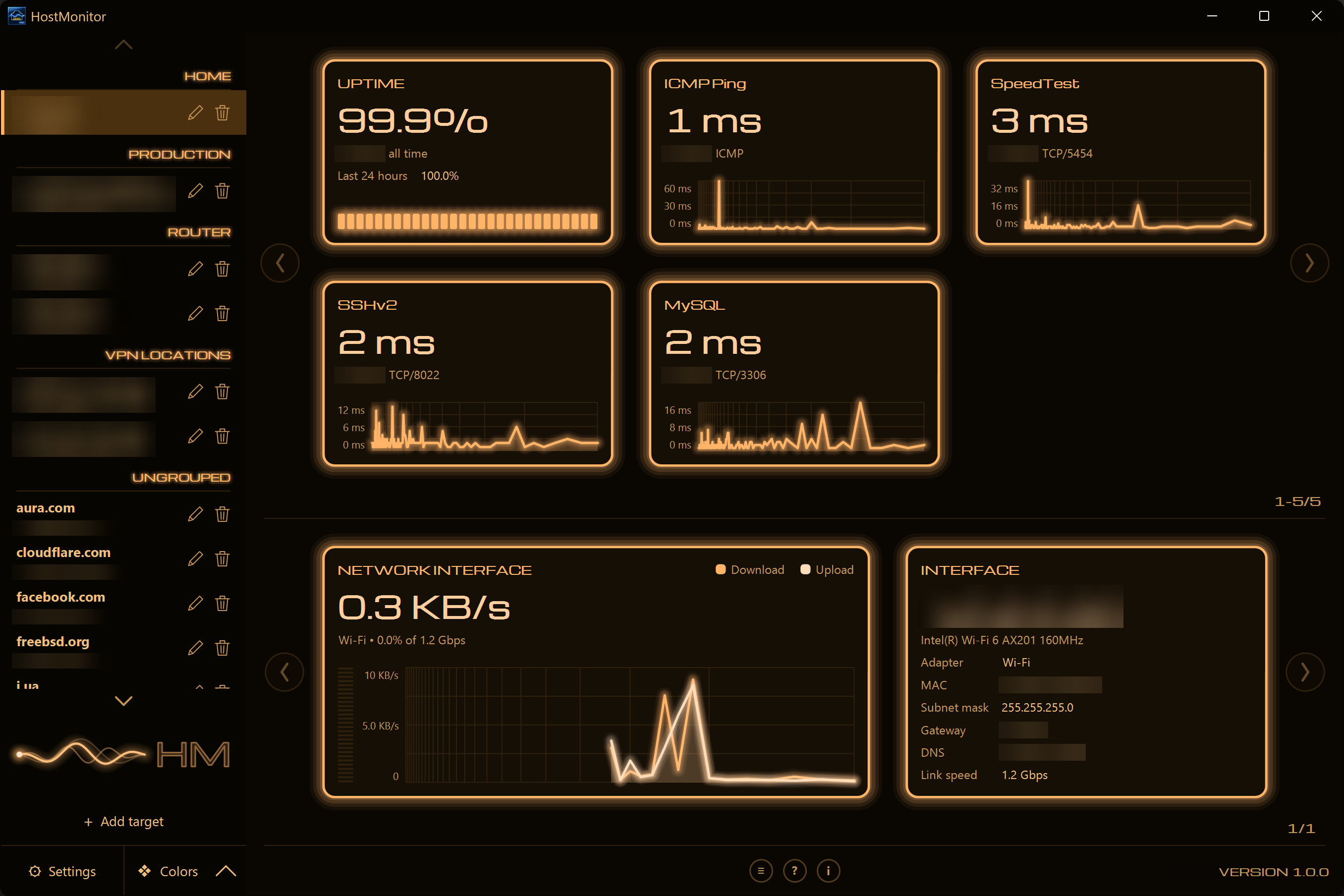
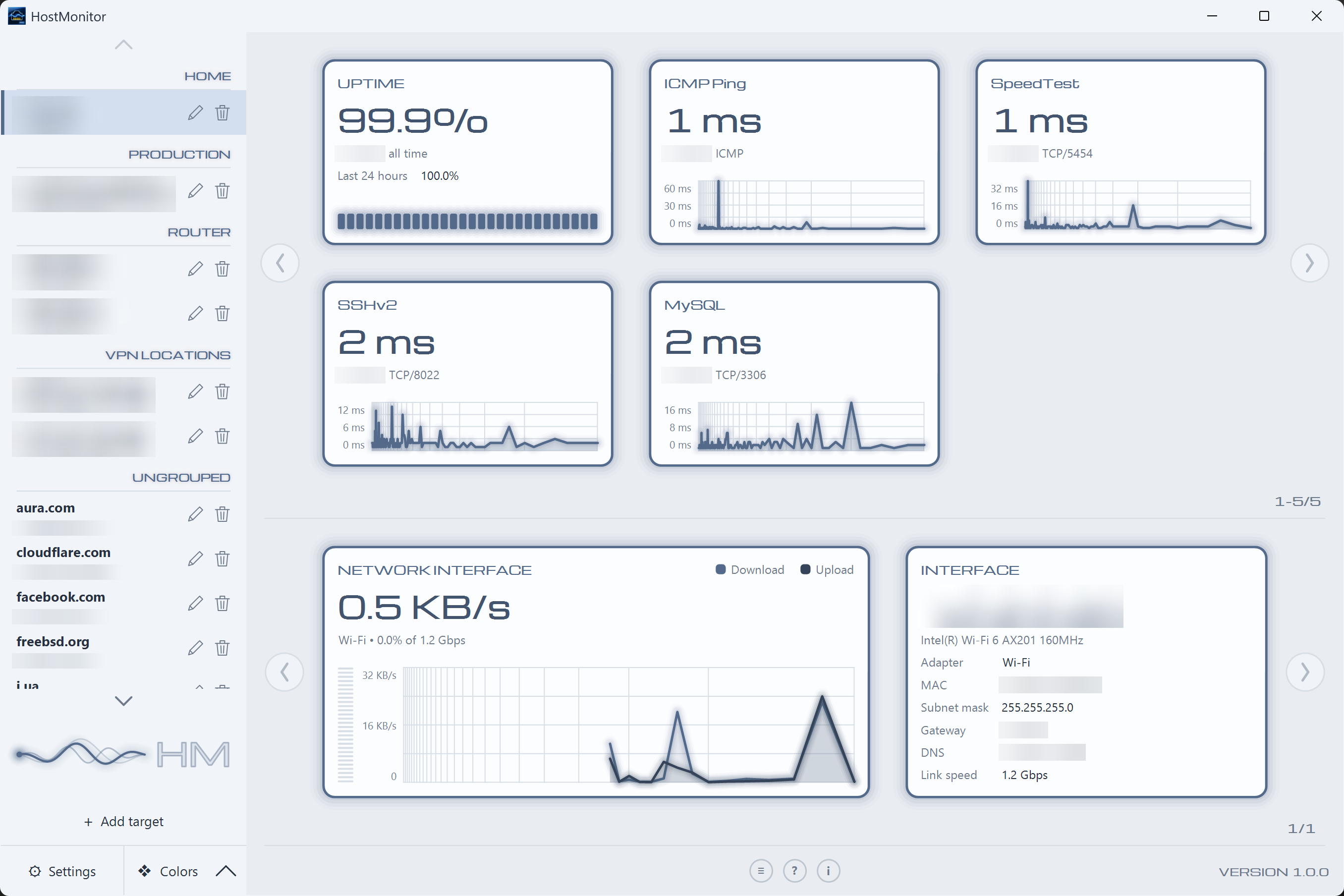
HostMonitor Pro turns every host you watch into a wall of live cards — one big reading each, with its recent history behind it. ICMP, TCP, UDP, HTTP and HTTPS probes, plus this machine's own network adapter.
For sysadmins, developers and home-lab owners who want the state of everything they watch visible in one glance.
A Card Per Service
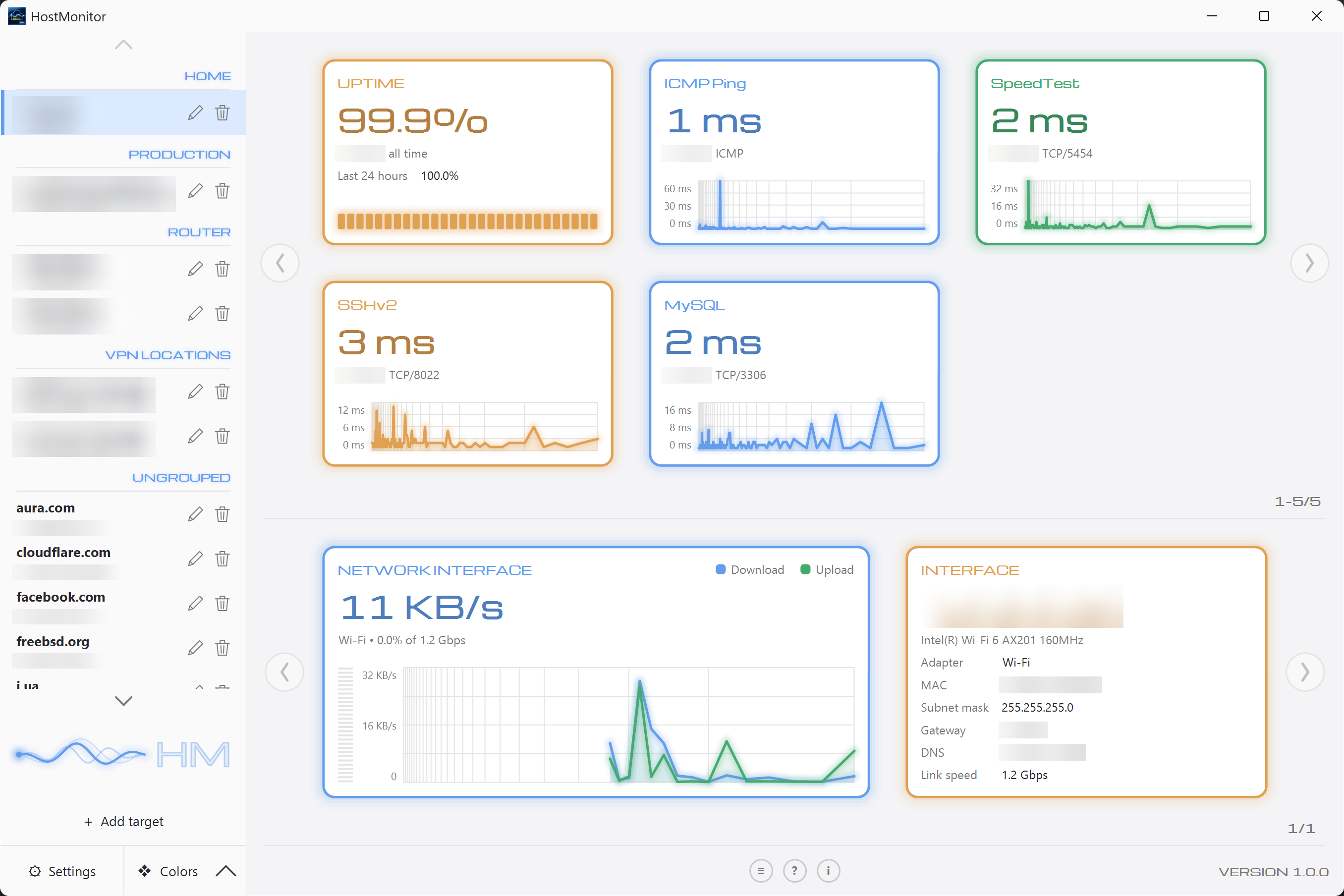
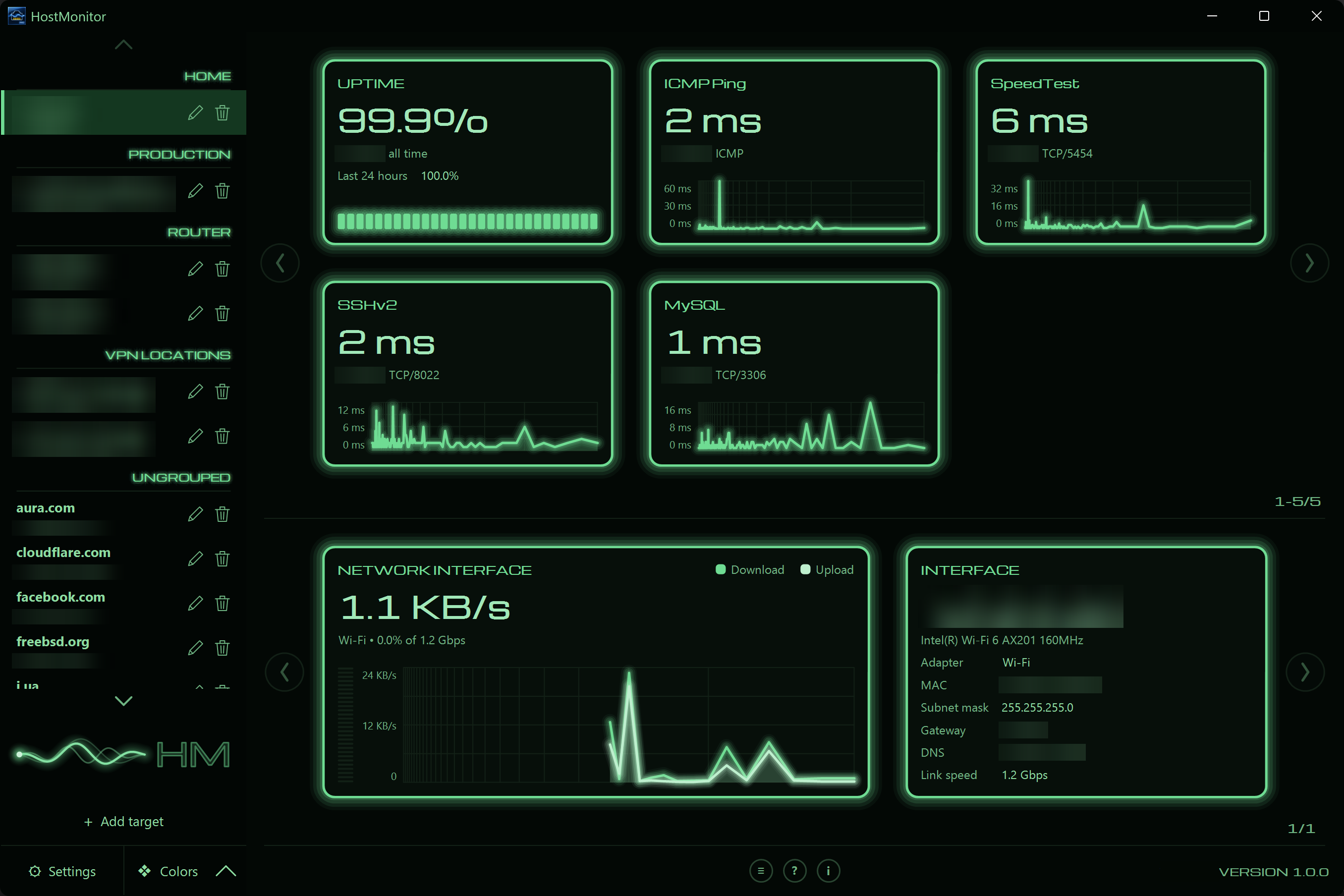
Each watched service gets its own card: the latest response time as a big number, the protocol and port underneath, and a graph of recent latency behind it. Nothing is shrunk to fit — hosts with more services page instead.
Live Latency Graphs
Every card carries its own trace, filled in as the app runs. Click one and it flips over into a detail view with a wider window, per-service statistics and the full picture.
Your Network Adapter
Below the rule is this machine's own networking: throughput as the big number, the share of the link's rated speed, and separate download and upload traces — plus the address, MAC, gateway, DNS and link speed behind it.
8 Languages
English, German, Spanish, French, Italian, Dutch, Polish and Ukrainian — all bundled, switched from Preferences, and applied without a restart.
Uptime That Means Something
The uptime card reads the whole recorded history, not just this session — all time, the last 7 days and the last 24 hours, with a segmented gauge of the total.
Local Storage, No Cloud
Hosts, services and the full scan history live in a local SQLite database on your machine. No account, no telemetry, nothing leaves the device. Export and import to move your setup.
Screenshots
See it in action
The real application — the card dashboard, the service catalogue, target setup, preferences and the log.
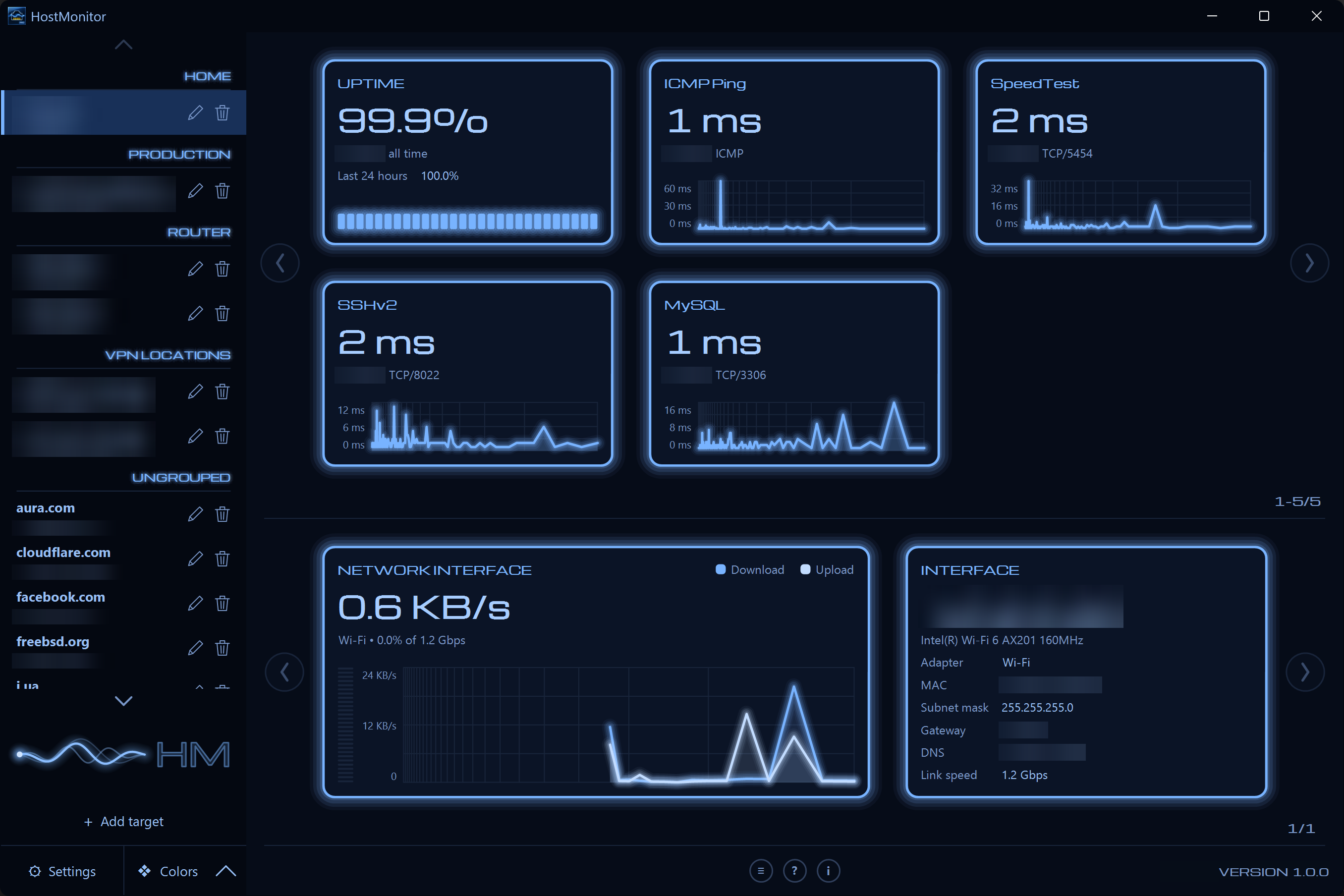
Dashboard — the hosts you watch down the side, a wall of cards for the selected one, and this machine's network adapter below the rule.
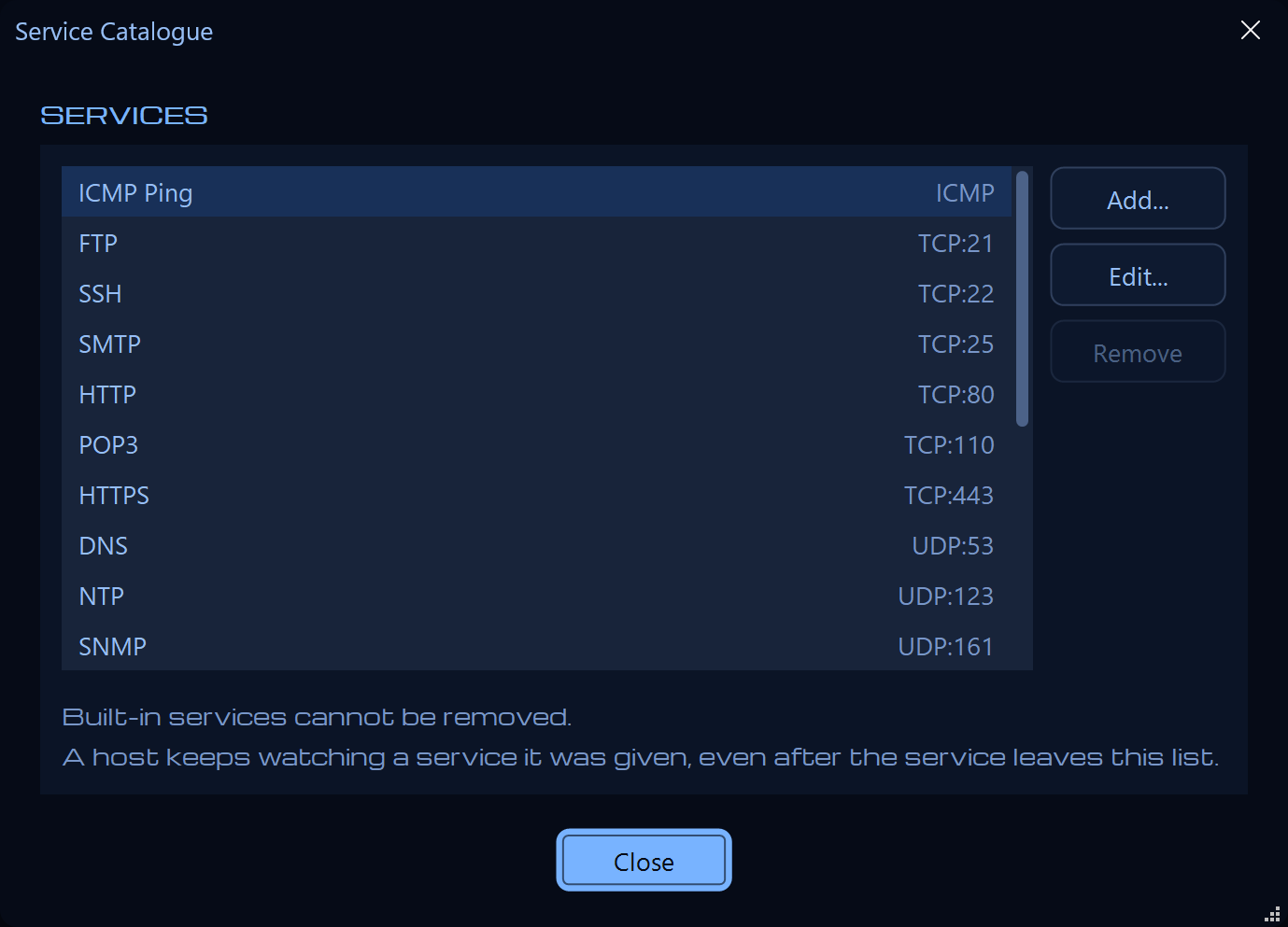
Service catalogue — the list of services any host can be watched on. Add your own endpoints; the built-in ones stay put.
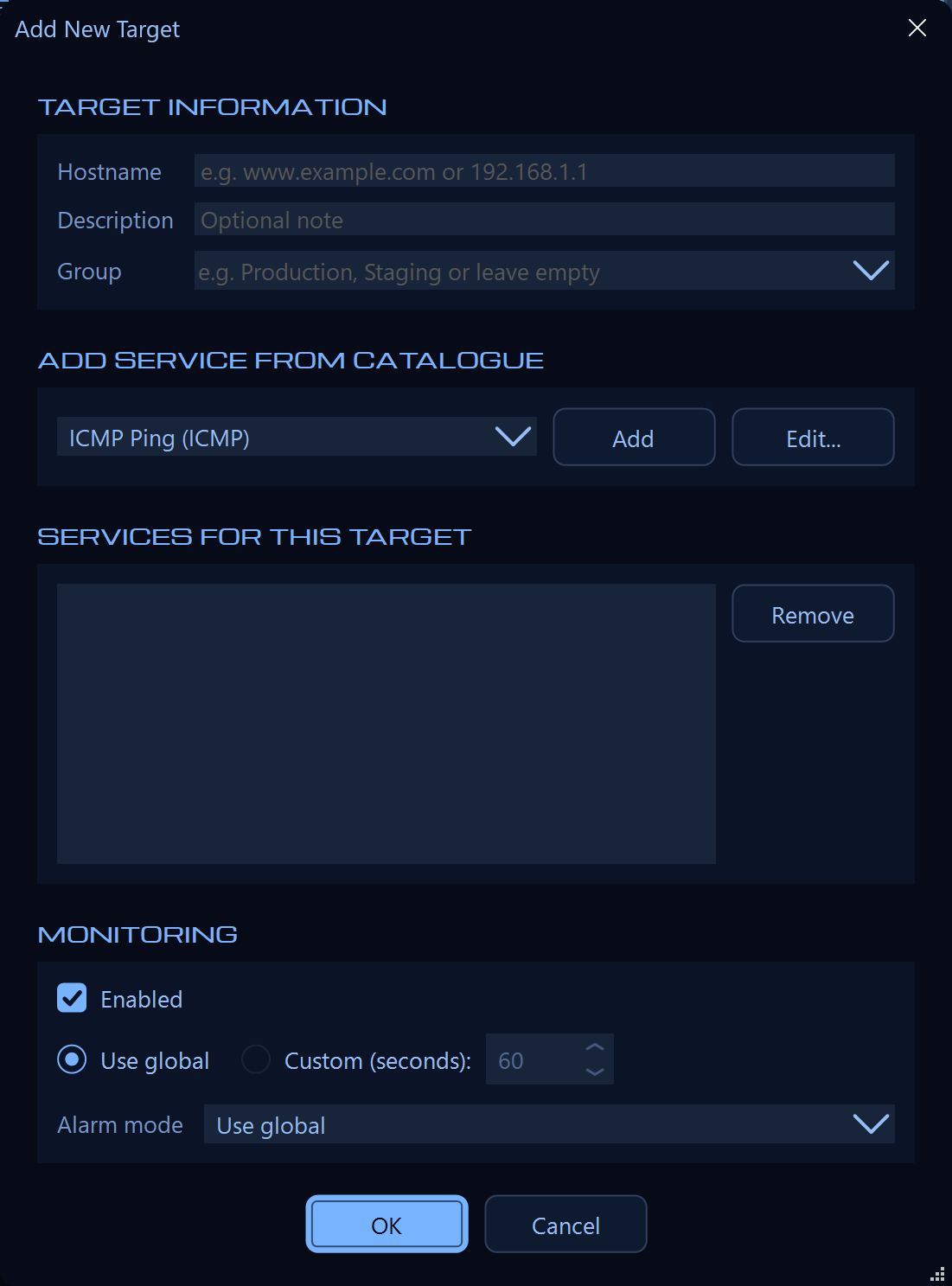
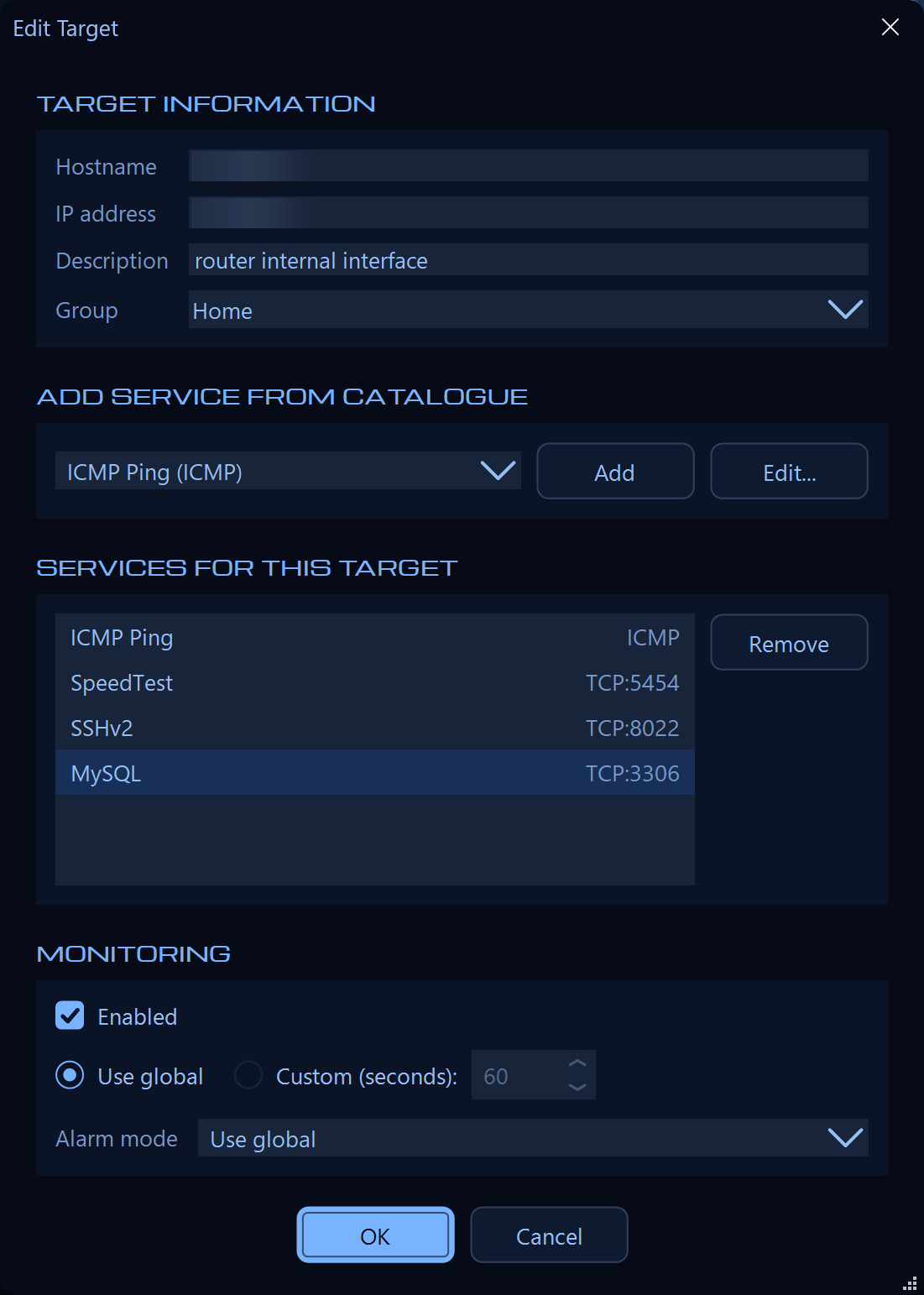
Adding a target — a hostname or address, an optional group, and the services to probe. Per-host scan interval and alarm mode override the global ones.
Editing a target — change what is watched on a host without losing the history already recorded for it.
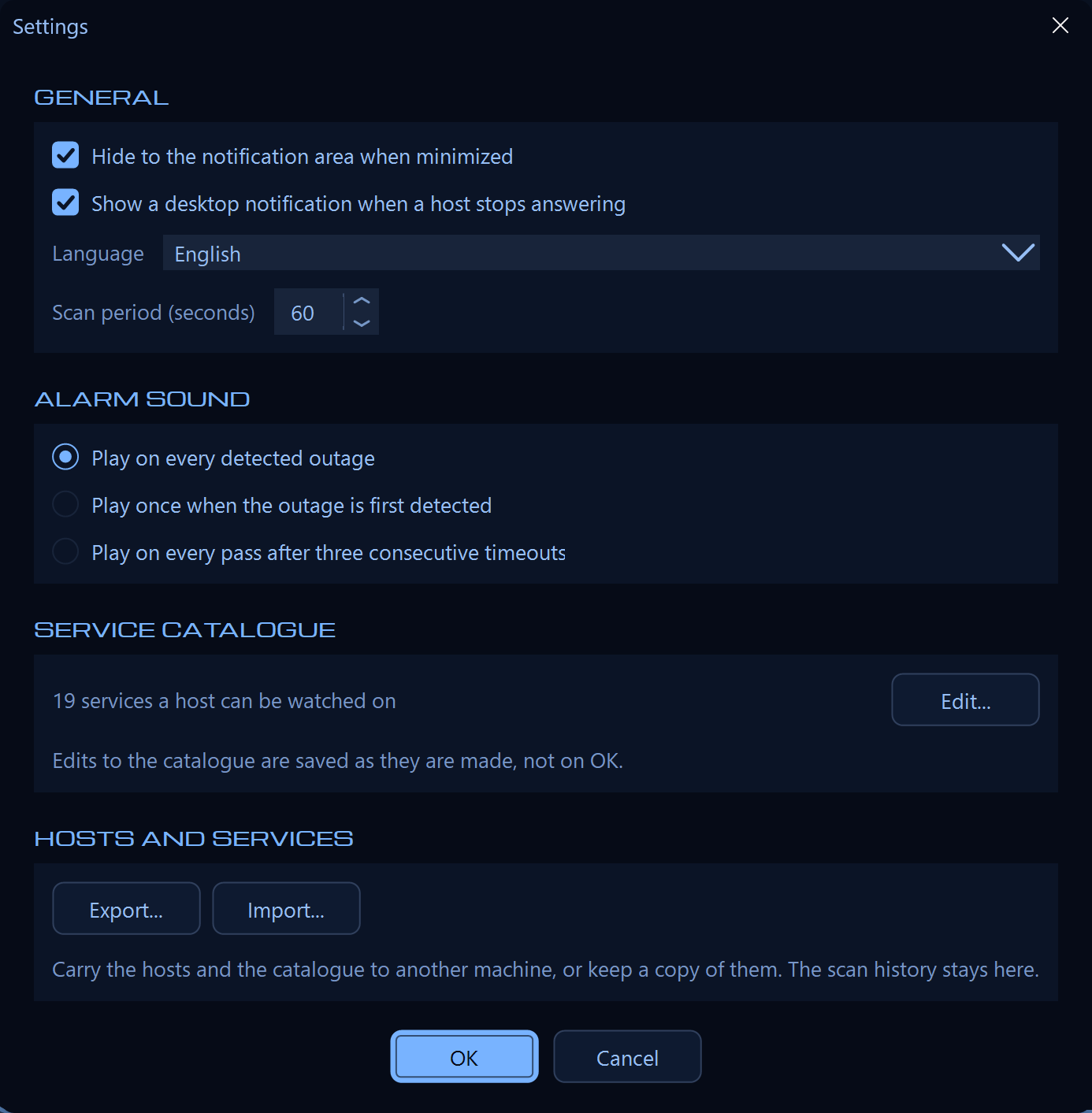
Preferences — interface language, scan period, alarm mode, notification-area behaviour, and import/export of your hosts.
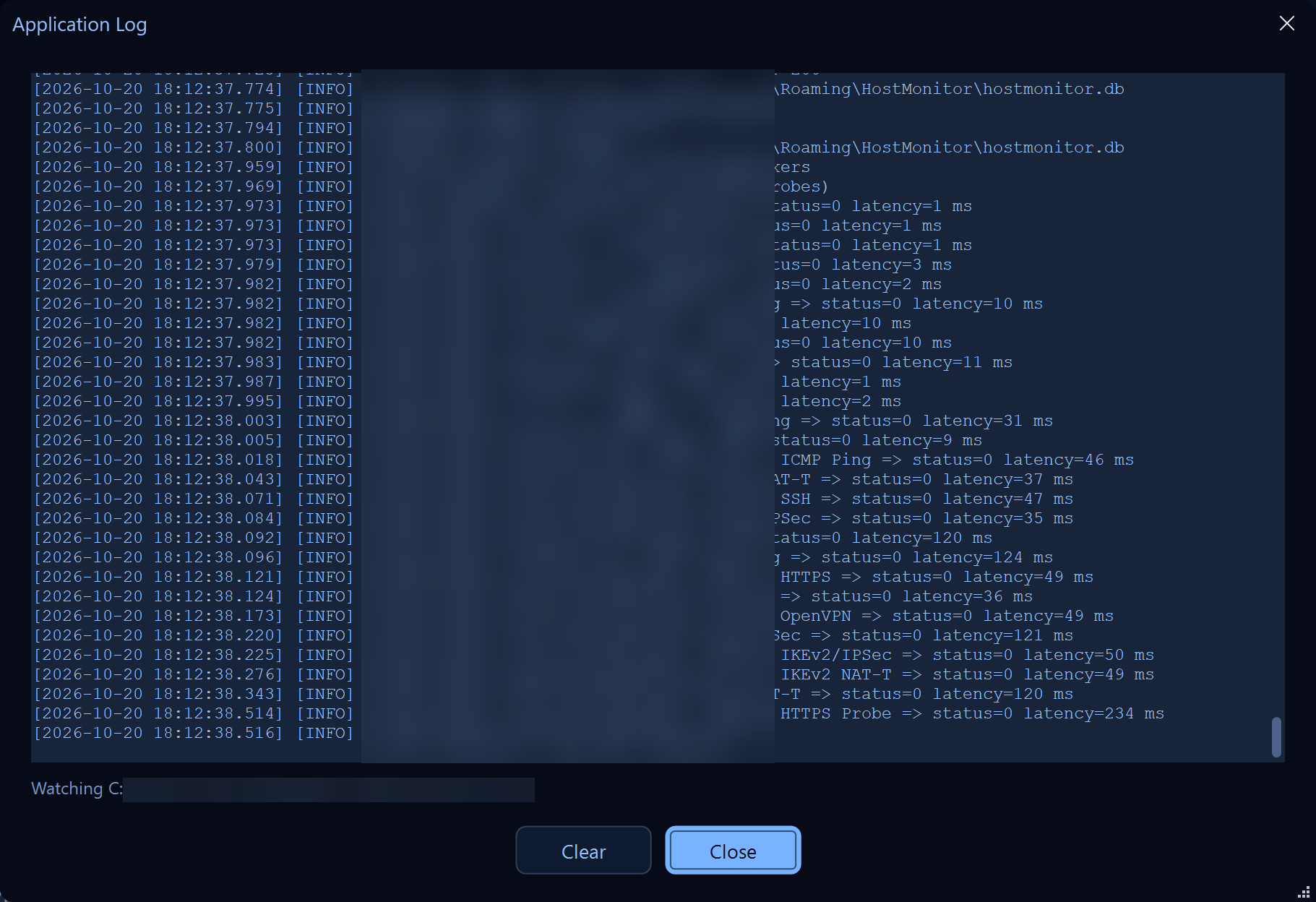
Application log — scan results, errors and alarm events as they happen, read live from the log file.
Protocols
Five probe protocols. One tool.
From a simple ICMP ping to an HTTP response-code check — the range of probes you actually need.
ICMP
Ping / Echo Request
The classic latency probe. Confirms IP reachability without needing a single open port.
TCP
TCP Port Connect
A non-blocking connect to any port with a timeout you set. Covers SSH, RDP, databases, SMTP and the rest.
UDP
Protocol-Aware UDP Probes
Not a blind packet: DNS, NTP, SNMP, IKEv2 and OpenVPN each get a payload their service will actually answer.
HTTP
HTTP Request
A real GET, graded by response code — 2xx and 3xx available, 4xx refused, 5xx an error. The code is shown on the card.
HTTPS
HTTPS Request
The same check over TLS, validated against the system trust store, so an expired or untrusted certificate shows up as a failure.
Alarms
Alerts that fit your workflow
Pick how noisy or quiet you want your monitoring to be — globally, or per host.
1
Every Outage
Sounds on every pass a host is missing. Maximum visibility, best for the few services you cannot afford to miss.
2
Once Per Outage
Sounds once when a host goes quiet, then stays silent until it recovers and fails again. One incident, one alarm.
3
After Three Timeouts
Waits for three consecutive misses before saying anything, then sounds on every pass. Filters out the flap.
A desktop notification can accompany the sound, and the notification-area icon carries a red or green indicator so the state is visible without opening the window.
Appearance
Five built-in themes
Switch from the Colors panel and watch the whole window follow — including the title bar. Saturation slides from full colour to grey, and Visual Bloom lights the bright strokes.
Default
Blue
Green
Amber
Slate
Localization
Available in 8 languages
Switch from Preferences and the interface changes there and then — no restart. All translations ship with the app.
🇺🇸 English
🇩🇪 Deutsch
🇪🇸 Español
🇫🇷 Français
🇮🇹 Italiano
🇳🇱 Nederlands
🇵🇱 Polski
🇺🇦 Українська
Download
Start monitoring in minutes
Download the free 14-day trial. Unlock the full version with a one-time license — no subscription, no account required.
The Windows app with the hosts grid, the per-host statistics window and six themes is still here and still maintained. Sold separately, with its own license.